Quick Answer: Alt text is a short (100–150 characters) written description of an image that helps both screen readers and search engines understand what the image shows.
Describe the essential content or purpose, include visible text when relevant, and avoid keyword stuffing.
What Is ALT Text?
ALT (short for “alternative”) text is the brief written description you add to an image.
Originally created so screen readers can describe visuals to people with visual impairments, it’s also a quiet powerhouse for SEO.
And while most people still think of alt text as a website thing, it’s just as important on social media.
Why Does ALT Text Help SEO and Accessibility?
Accessibility
SEO Power
Visibility + Engagement

How Long Should ALT Text Be?
Aim for 100–150 characters, up to about 200 if needed.
That’s long enough to capture the image’s purpose but short enough for screen readers to deliver it quickly.
Should You Include Keywords in ALT Text?
Yes, if they fit naturally.
Describe the image first and add a relevant keyword only when it flows without sounding forced. Avoid keyword stuffing.
How to Write Strong ALT Text (for Web + Social)
Checklist for great alt text:
- Describe the key content or purpose of the image.
- Be concise but clear, skip fluff.
- Include visible text (like quotes or calls-to-action) when it adds context.
- Skip “image of…”, as screen readers already announce it’s an image.
- Use audience language. If you’re talking to mompreneurs, use words they would search.
Examples:
- “A woman”
- “Mompreneur smiling at her laptop with her website open to a homepage draft.”
- “A quote”
- “Quote text: ‘Done is better than perfect’ in pink script on a white background.”
How Do You Add ALT Text on Instagram, Facebook, LinkedIn, X, and Pinterest?
- Instagram: Tap Advanced Settings when creating a post.
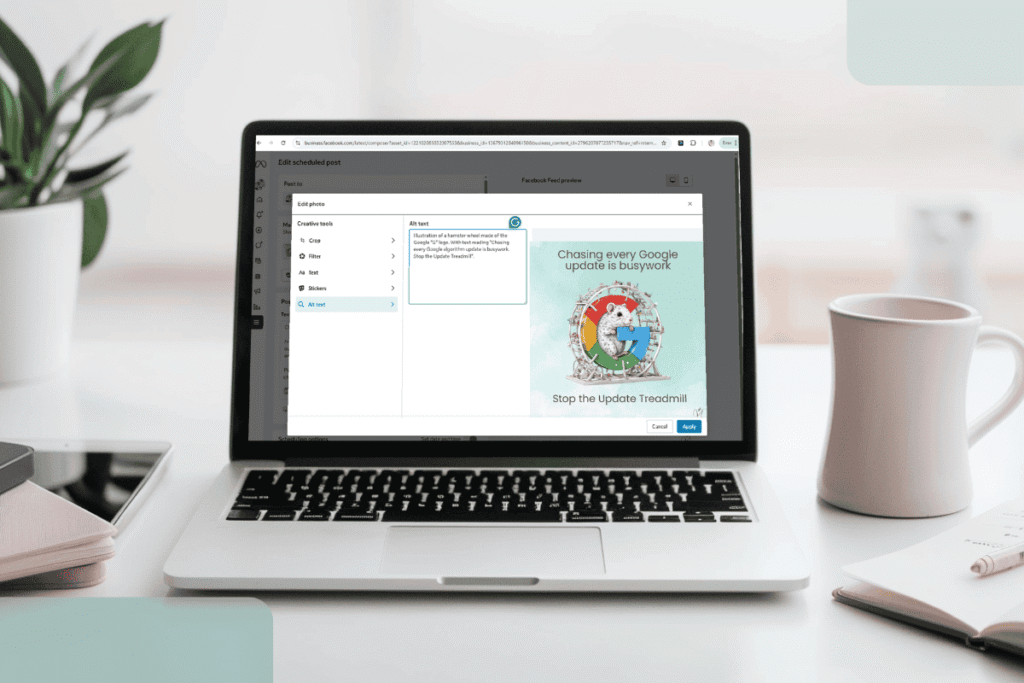
- Facebook: Click Edit Alt Text after uploading an image.
- LinkedIn: After adding an image, click the Alt Text option.
- X (Twitter): Add alt text when selecting your image.
- Pinterest: Your image description often doubles as alt text.
Adding ALT Text on Your Website
- What you do
- Who you help
- How to work with you?
Does AI-Generated ALT Text Replace Manual Writing?
No. Auto-generated alt text is a useful starting point but often misses context or nuance. Always review and edit for accuracy.
Final Thought: A Tiny Tweak with Big Payoff
- Accessibility: Opens your content to everyone.
- Search Visibility: Gives search engines the context they need.
- Long-term SEO: Strengthens your site’s relevance long after an algorithm update.
Want your website and content working smarter, not harder?
FAQs
How long should alt text be?
100–150 characters is ideal (up to ~200 if needed) so screen readers can read it quickly while keeping enough context for search.
Should alt text include keywords?
Do decorative images need alt text?
Purely decorative images can use empty alt (alt=””) so screen readers skip them, improving accessibility.
Is auto-generated alt text good enough?
Does alt text help Instagram or Facebook reach?
TLDR: Why ALT Text Matters
- Accessibility + Visibility: Helps users with visual impairments and gives search engines context for your images.
- Use It Everywhere: Websites, Instagram, Facebook, LinkedIn, Pinterest, don’t skip it.
- Good ALT Text Is Clear & Concise: 100–150 characters focused on the image’s purpose.
- Boosts SEO: Optimized descriptions help your content show up in image searches and strengthen keyword relevance.
- Quick Win: A tiny habit that pays off big, especially as part of your larger website and content strategy.