

How better examples, clearer context and your own judgment can turn generic AI writing into something that actually sounds like you.
If you have ever asked ChatGPT or another AI tool to write a post, email or blog and thought, “Technically this is fine, but I would never say it like that,” you are not alone.
This is something I have been exploring in my own work for about two years, and recently I was invited to speak about it at the Resilient Women in Business Conference. My session, How to Get AI to Sound Like YOU, gave me the opportunity to pull together what I have learned through experimenting with AI and using it to support real client work.
The biggest lesson is simple: AI can only work with what we give it. Better results rarely come from finding one perfect prompt. They come from giving AI better source material, clearer context and useful corrections.
AI can assist with expression, but you still provide the meaning.
Why does AI-generated writing sound so generic?
AI is designed to produce a likely response based on the information available to it. When we give it a broad instruction such as “write a warm and professional LinkedIn post,” it has to fill in a lot of blanks.
The problem is that warm, professional, conversational and approachable could describe thousands of businesses. Those words are a start, but they do not explain how you build an argument, how much detail you naturally include, what kind of humour feels comfortable, how you soften a request or how you communicate a firm boundary without sounding cold.
A generic response is often a context problem. AI may not need a longer or more complicated prompt. It may simply need a clearer picture of what you are trying to say, who you are saying it to, why it matters and how you naturally communicate.
Your voice is more than a tone-of-voice checklist
What working with two very different clients taught me
One of the clearest lessons came from working with two clients whose voices could not have been more different.
One client has an incredibly distinct way of speaking. There is a bit of a Cockney accent, plenty of slang and a cadence that is completely her. If you know her, you can hear her voice almost immediately. That personality is also part of the connection her clients remember after meeting her.
When I rebuilt her website and later began writing blog content for her, it was important that the polished version of her message did not erase the person behind it. I gave the AI examples of her natural language and corrected the places where it became too tidy, too formal or simply chose words she would never use. Over time, we were able to capture her expressions, rhythm and idiosyncrasies closely enough that she was genuinely surprised by how much the finished work sounded like something she had written herself.
At around the same time, I was working with a doctor in the wellness industry. Her voice is warm and easy to connect with, but also highly educated, poised and polished. Her content needed to communicate expertise and confidence without becoming clinical or distant.
The process was similar, but the result was completely different. That is the point. There is no single “human” setting we can switch on. The useful work is teaching AI what sounds natural for this person, in this business, speaking to this audience.

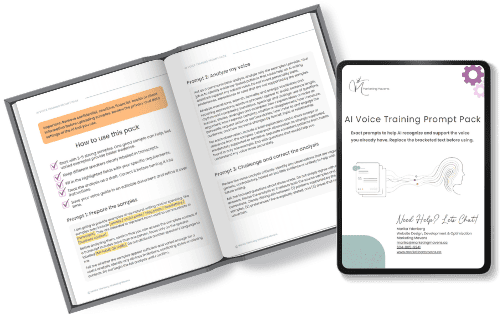
How to train AI to write like you: a five-step process
1. Collect examples that genuinely sound like you
2. Ask AI to analyze the patterns and show its evidence
3. Turn the useful observations into a voice guide
4. Test the guide on a real piece of communication
5. Refine what does not sound right
“I don’t say that” is not proof the process failed. It is useful information. Add the correction, show the preferred alternative and make the guide stronger.
The process is not one-and-done
In our networking masterminds with Resilient Women in Business, Cheryl Bishop often reminds us not to shut down an idea with “I already tried that” or “I already did that.” I think the same principle applies here.
You may have tried prompting AI with your voice before. You may already have custom instructions saved. Instead of stopping there, look at what the latest result is showing you. What worked? What felt off? What context was missing? What changed because the audience or purpose changed?
Your voice guide should grow with you. Save successful examples. Remove rules that make every draft sound similar. Update it when your business, audience or communication goals change. The aim is not perfect imitation. It is a better starting point that still leaves room for you to think, edit and respond like a human.
Where your judgment still matters
AI can help organize an idea, create a first draft, identify patterns and make it easier to communicate consistently. It cannot decide what you truly believe. It does not know the history behind a client relationship unless you explain it. It cannot supply your lived experience, your professional judgment or the detail that makes an idea specifically yours.
Before publishing, I recommend asking a few simple questions: Is it true and accurate? Is this what I actually mean? Would I say it out loud? Does it fit this audience and relationship? What opinion, detail or experience can only I add? Am I comfortable putting my name on it?
These questions matter for trust, but they also make the content more useful and more original. In a search landscape filled with similar AI-assisted content, your firsthand experience and clear point of view are not extras. They are what give the page a reason to exist.
A better prompt is only part of the answer
If your AI writing does not sound like you, start by giving it more to work with. Share better examples. Explain the audience and relationship. Be clear about what the message needs to accomplish. Correct the patterns that feel wrong, and save what you learn.
You do not need to choose between using AI and sounding human. Used thoughtfully, AI can become a practical communication assistant while your experience, judgment, relationships and personality remain at the centre
“I don’t say that” is not proof the process failed. It is useful information. Add the correction, show the preferred alternative and make the guide stronger.
Frequently asked questions
Can you train ChatGPT, Claude, Gemini, Perplexity and other AI tools to write like you?
You can give ChatGPT examples and instructions that help it recognize and reproduce patterns in your communication. The result still needs your review because examples can be misread, context changes and AI may invent or exaggerate details if the task is not clearly framed.
How many writing samples do you need?
One strong sample can help, but three to five varied examples are a more practical starting point. Include the kinds of communication you actually want help creating. More material is useful only when it genuinely represents your voice.
Can I use voice notes to teach AI my writing style?
Yes. A transcript of a voice note can reveal natural vocabulary, cadence and expressions that may not appear in polished writing. Label speakers clearly and remove private or identifying information before uploading the transcript.
Why does AI keep using words I would never say?
The tool may be falling back on common marketing language because it does not have enough evidence about your preferences. Correct the wording, provide the phrase you would use instead and add that distinction to your voice guide.
Will a voice guide make every piece of content sound the same?
It should not. A useful guide explains how your voice changes by format, audience and relationship. If every draft begins to feel similar, loosen rules that are too rigid and add more varied examples.
Should I use the full voice guide every time I prompt AI?
Can I create different versions of my voice for email, social media and blogs?
Yes. Your underlying perspective and values can stay recognizable while the format changes. A useful voice guide can include specific notes for short social posts, longer educational content, client emails, proposals and sensitive conversations.
Can I create different versions of my voice for email, social media and blogs?
It should not invent personal stories, credentials, client experiences, testimonials, outcomes, opinions or emotional reactions. Tell the tool what must remain factual, and review the final draft before putting your name on it.